NDIS Software Integration: How to Connect Rostering, Payroll, Claims and Xero
Entering the same shift four times? How Australian NDIS providers can connect rostering, payroll, claims and Xero, and when custom integration is worth it.
Kshitij Dhamala
19 November 2026·10 min read·NDISNDIS software integrationNDIS payroll+3
Share this article
NDIS
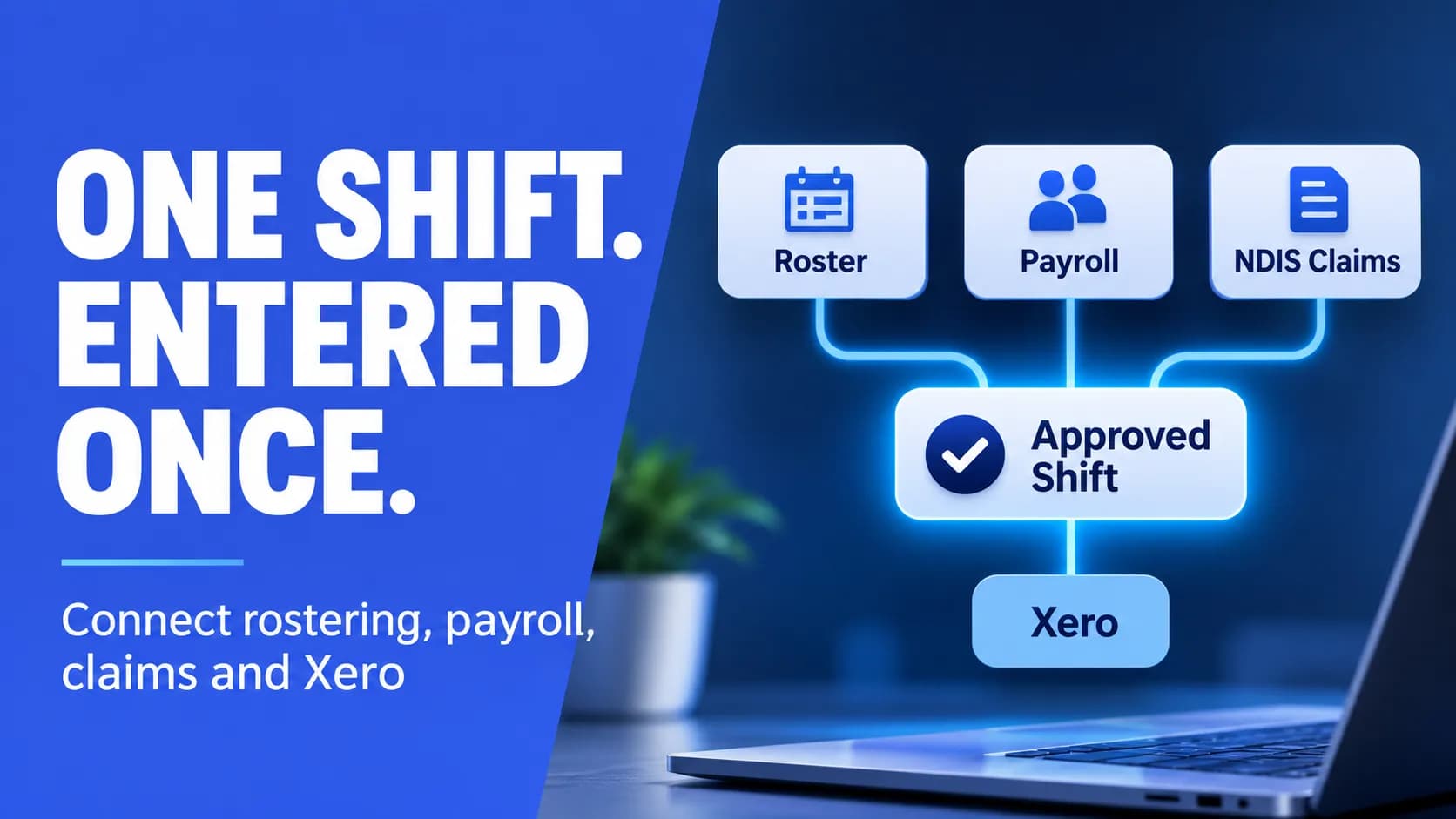
A support worker finishes a three-hour shift. A coordinator checks it in the rostering app. Payroll re-keys the hours so the right award rates and allowances apply. Finance builds a claim or invoice for the same three hours. Then someone enters it again in Xero so the books reconcile.
That is one shift entered four times by three people. Across every shift in a fortnight, it adds up to staff hours, late pay runs and claims that bounce for avoidable reasons.
This guide is for owners, operations managers and finance leads at Australian NDIS providers who already use several systems and want them to work together. It covers how shift data should flow, which system should own what, where integrations usually fail, and how to choose between one platform, the connectors you already pay for, or custom integration.
Follow one shift: where the data needs to go
Before comparing software, trace a single completed shift. Most providers find the same five stops.
1Roster: the planned shift, with participant, worker, date, times, location and the support item it will be claimed against.
2Timesheet: what actually happened, with clock-in and clock-out, breaks, travel, any change on the day, and a manager's approval.
3Payroll: approved hours turned into pay under the SCHADS Award or your enterprise agreement, including penalty rates and allowances.
4Claim or invoice: the same delivered support turned into money owed to you. Depending on how the participant's plan is managed, that is a payment request to the NDIA through its provider portal, or an invoice to a plan manager or to the participant.
5Accounting: the pay run and the revenue land in your accounting software, such as Xero, so the bank reconciles and the reports are right.
Payroll and claims both start from the same approved timesheet but apply different rules. Payroll cares about the worker's classification and conditions under the Social, Community, Home Care and Disability Services Industry Award (MA000100). The claim cares about the support item, the price limit and the participant's plan. A good integration keeps one approved record and lets each downstream system apply its own rules to it. A poor one copies numbers around and hopes they match.
Decide which system owns which data
Most integration problems are really ownership problems. When the same worker or participant can be edited in two systems, the records drift apart, and every sync after that spreads the mismatch. Agree an owner for each type of data before you connect anything.
Data
Usually owned by
Read by
Participant details, plan dates, how funding is managed
Client management or NDIS platform
Rostering, claims
Service agreement, agreed support items and rates
Client management or NDIS platform
Rostering, claims
Worker profile, classification, pay rates
HR or payroll
Rostering
Worker screening clearance and training records
HR or compliance system
Rostering, to stop unqualified shifts
Planned shifts
Rostering
Timesheets
Approved actual hours
Rostering or timesheet app
Payroll, claims
Pay runs, tax and super
Payroll
Accounting
Invoices, claims and payments received
Claims or NDIS platform
Accounting
General ledger and bank reconciliation
Accounting, for example Xero
Management reporting
Your table may look different. What matters is that each row has one answer. If a row has two, fix that first, because no connector can.
Your three options
1. One NDIS platform that does most of it
Several Australian NDIS platforms combine client records, rostering, timesheets, invoicing and claim files, and some include payroll, then send the results to accounting software. For a provider with fairly standard services, this is often the simplest path: fewer systems and fewer handovers. If you are still choosing a platform, our NDIS compliance software buyer's guide covers what to look for.
The trade-offs are real. You adopt the platform's way of working, migration takes effort, and you may lose specialist tools your team relies on, such as a payroll system finance already trusts with award calculations.
2. Connect the tools you already use
Many NDIS rostering and invoicing products list built-in integrations with Xero, MYOB or QuickBooks and with common payroll systems. Where a vendor's connector covers your flow, use it. It is supported, and the vendor maintains it when the other system changes.
Check exactly what each connector moves. "Integrates with Xero" can mean invoices only, invoices and contacts, or approved timesheets sent to a draft pay run. It may sync one way or both ways, live or through an export file. Those details decide whether the manual work actually goes away.
3. Custom integration for the gaps
Custom work makes sense when a link you need does not exist, or exists but does not fit how you operate. Common examples are a payroll system with no connector to your rostering tool, a management report that combines data from three systems, or a rule specific to your organisation, such as stopping a shift from being rostered when a worker's clearance has lapsed.
Custom integration should fill gaps, not replace platforms that already work. It also needs an owner after go-live, because the systems at either end will keep changing. When we built Rosterly, a workforce management platform designed for sectors including aged care and disability support, we connected it to Xero for payroll and timesheet processing.
🚀
Still copying hours between systems?
Beyond Himalaya Tech can review how your rostering, payroll, claims and accounting tools fit together and tell you which links can be switched on, configured or built. Talk to us about your setup via our contact page.
Where NDIS integrations usually break
Generic integration advice misses the details that cause most trouble in disability services.
Support items and price limits: the NDIA publishes pricing arrangements and price limits that change over time. If a rostering or claims tool still holds an old item or a rate above the current limit, the error flows straight into your claims.
Edits after approval: a shift is approved, paid and claimed, then someone changes the times. Decide whether approved records lock, and how corrections are made and recorded.
Duplicates: re-running an export or retrying a failed sync can send the same claim or invoice twice. Build checks that stop a record being sent twice.
Mismatched identities: the same worker under two IDs, or a participant entered differently in two systems. Match on a stable identifier, not on names.
Cancellations, travel and non-face-to-face time: these are often treated differently for pay and for claiming. Map each one deliberately instead of assuming the defaults line up.
How funding is managed: NDIA-managed, plan-managed and self-managed supports are paid by different parties, so your claims step has to send each one to the right place.
Portal access: check that any process or staff role that touches the NDIA provider portal reflects the current access arrangements.
A note on connecting directly to NDIA systems. The NDIA does offer application programming interfaces (APIs), but access is for approved registered providers, plan managers and software developers. Applicants must meet requirements that include suitable ICT security certification and a cyber clearance process. For most providers the practical routes are the provider portal, including bulk payment requests, or software that already has approved access. Be wary of anyone who says they can simply plug into the NDIA.
What to automate first, and where to keep a person involved
Start where the same data is typed twice and mistakes are costly. For most providers the order looks like this.
1Approved timesheets into payroll. This usually removes the most re-keying, and pay errors are the ones workers notice first.
2Completed supports into claims or invoices. Generate claim lines from approved shifts against the participant's agreed support items, then review them before submission.
3Invoices, pay runs and payments into accounting. Reconciliation becomes a matching exercise instead of data entry.
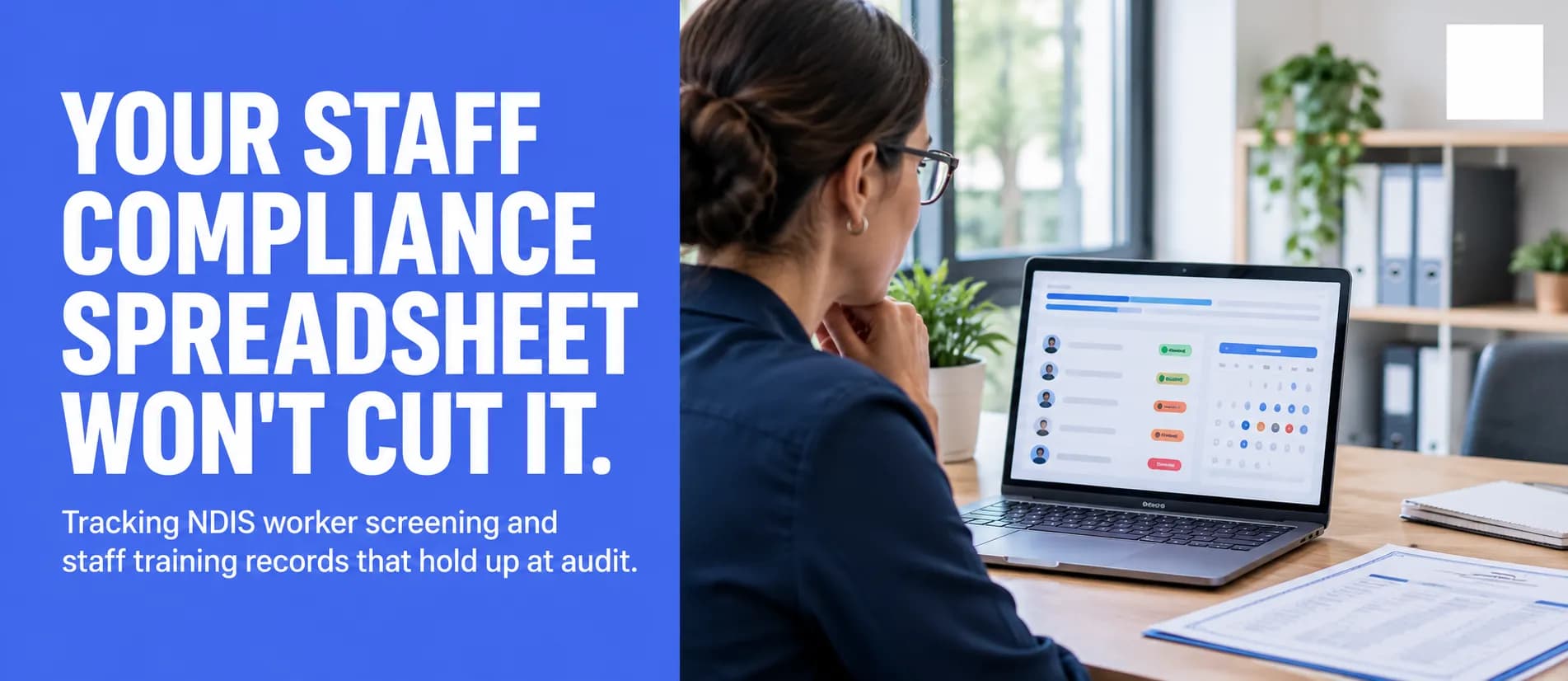
4Compliance checks at the point of rostering. Warn or block when a worker's screening clearance or required training has expired, using records your HR system already holds.
Keep a person in the loop wherever money moves or judgement is needed: approving timesheets, releasing pay runs and submitting claims. Automation should prepare and check the work and flag what looks wrong. It does not take over your responsibility for what you claim. The NDIA expects providers to keep complete and accurate records of the supports they deliver, such as rosters, support logs, case notes and invoices. A good integration makes those records easier to produce and trace, not harder.
Privacy and security when systems share data
Connecting systems means more copies of personal information moving between more places. The OAIC lists a disability service provider that handles health information as a health service provider, covered by the Privacy Act even if it is a small business. Under Australian Privacy Principle 11, you must take reasonable steps to protect personal information from misuse, interference and loss, and from unauthorised access, modification or disclosure.
For an integration, that usually means:
Send only the fields each system needs. Payroll rarely needs a participant's support details.
Use the vendor's supported API and sign-in method, not shared logins or spreadsheets emailed between teams.
Give integration accounts the least access that works, and keep a log of what they do.
Know where each system stores data, including any cloud hosting, and what your contracts say about it.
Decide who is alerted when a sync fails and how the records are put right.
This is general information, not legal advice. If you are unsure of your obligations, read the OAIC guidance and get advice for your organisation.
Questions to ask before you connect anything
Use these with your current vendors or with any developer you are considering:
Which data does this connector move, in which direction, and how often?
Is it a live API connection, or a file export and import?
What happens to records that fail to sync, and how will we know?
How does it stop the same shift being paid or claimed twice?
How are support items and price updates kept current?
Can we see an audit trail of what was sent and when?
Who maintains the integration when either system changes?
Where is our data stored and processed?
What does it cost to run each year, not just to set up?
When an integration specialist is worth it, and when it is not
You probably do not need custom work if one platform already covers your services and its built-in connectors move the data you need. Configure it properly, train your team and review it in six months.
Outside help is worth considering when:
You run three or more core systems and still re-key data between them every pay cycle.
A connector you need does not exist, or only exports files that someone has to tidy up.
Managers build reports by hand from rostering, payroll and claims data.
You are growing, and the manual steps that worked at 20 staff are straining at 80.
A good specialist should be willing to tell you when a settings change or an existing connector is enough. If the first recommendation is a large custom build, ask why the simpler options will not work.
Frequently asked questions
Talk to us about your systems
If your team still moves the same shift between rostering, payroll, claims and Xero by hand, start by mapping it. Send us a short list of the tools you use for rostering, payroll, claiming and accounting, and where the double handling happens. We will reply within one business day and talk through what can be connected, what should be configured, and what is best left alone. Our custom software development team handles the integration work when it is needed. Contact Beyond Himalaya Tech to get started.
Most Asked Questions
Yes. Several payroll and workforce products support SCHADS Award conditions, and some NDIS platforms include payroll or connect to payroll systems. The more useful question is whether your payroll can receive approved hours from your rostering tool without re-keying, and whether its award setup has been tested against your actual shift patterns.
Many NDIS rostering and invoicing products offer a Xero connection, usually covering invoices and contacts and sometimes timesheets for Xero Payroll. Check what each connector moves, and in which direction, before you rely on it.
Providers can upload bulk payment requests through the NDIA's provider portal, and many NDIS platforms prepare these from completed shifts. Direct API access to NDIA systems is limited to approved applicants that meet the NDIA's security requirements.
About the Author
Kshitij Dhamala
AI Strategist & Digital Marketing Specialist
Kshitij is a Computer Engineer and Lead AI Strategist at Beyond Himalaya Tech. He specializes in architecting advanced multi-agent AI systems and driving digital growth through modern search strategies, including Technical SEO, Answer Engine Optimization (AEO), and Generative Engine Optimization (GEO)


.JPG)
